
Welcome to our FAQs!
In our Frequently Asked Questions we strive to provide you with the questions we receive most. So, please review the items below, and click the question that fits what you’re looking for. The information relative to that question will expand below.
If your answer contains an image, that image may be enlarged by clicking on it.
Log in to your account
Click Profile
Click Payment Information
Enter your credit card information and click Set Auto Pay
Click Save Changes
 (click to enlarge)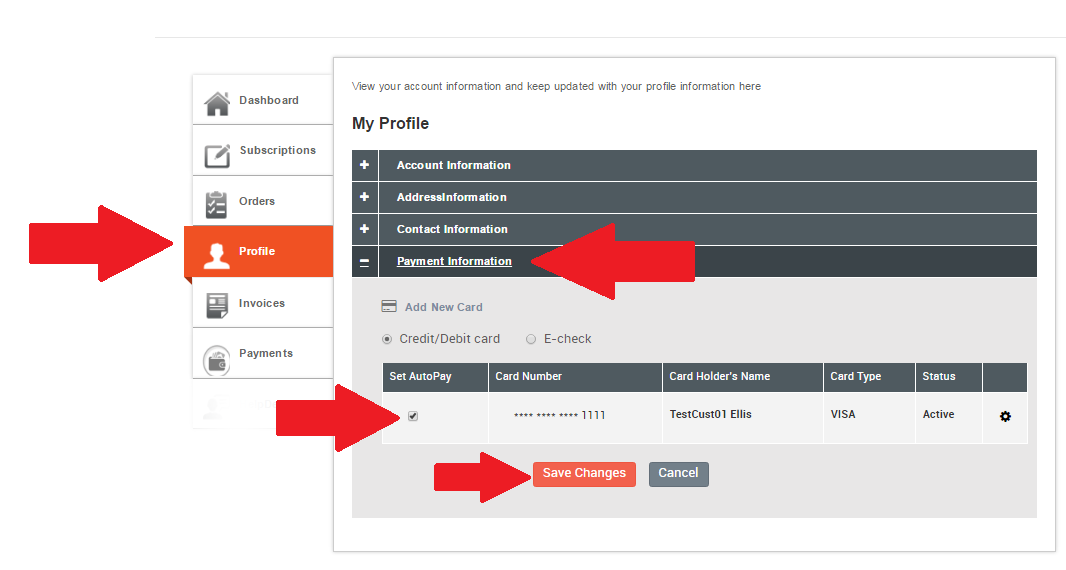
Log in to your account
Click Profile
Click Payment Information
Enter your credit card information and click Set Auto Pay
Click Save Changes
 (click to enlarge)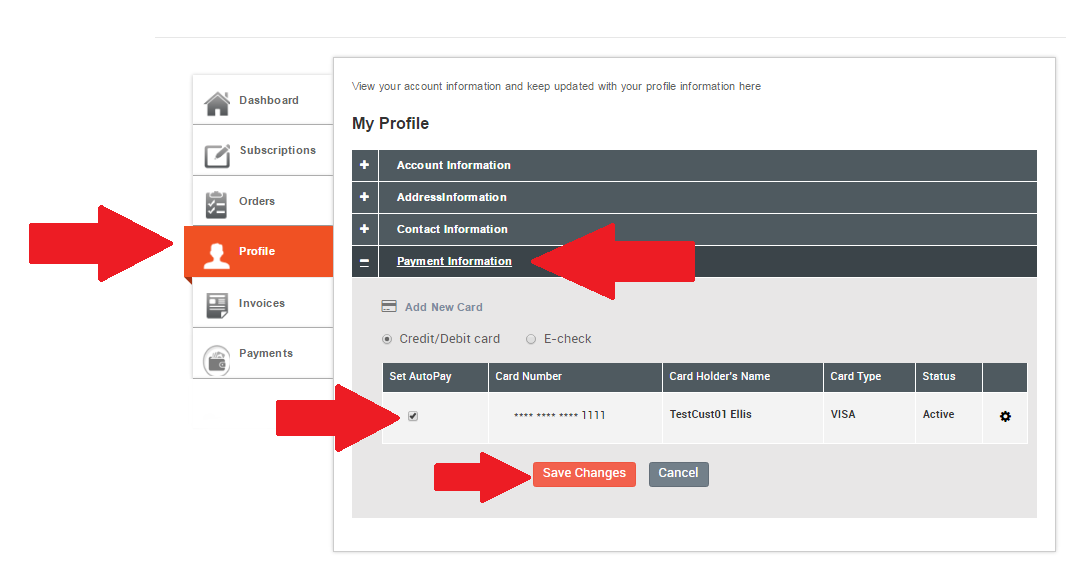
Are you having trouble finding your IMEI number? We can help! It’s super easy!
Bring up your dial screen on your phone, as if you’re going to make a phone call, enter the information shown below and you’ll find your IMEI or MEID.
For and iPhone
 (click to enlarge)
For an Android
 (click to enlarge)
Once you have received your phone, the steps to complete the activation process vary based on your selections.
Things that determine how to proceed once you have received your phone
- Did you order a new phone, or are you using a device you own from a previous wireless carrier?
- Did you request a new phone number or are you transferring your existing number from another wireless carrier?
- If you are using a device that you already own, is this device from Sprint or another carrier?
New Phone Number, New Device
New Device with an Existing Phone Number
Existing Device from a different wireless carrier and a New Number
Log in to your Account
Click Profile
Click Address Information
Click Add New Address
Enter new address information
Choose for Billing or Service boxes (most customers check both)
Click Save Changes
 (click to enlarge)
Et harum quidem rerum facilis est et expedita distinctio. Nam libero tempore, cum soluta nobis est eligendi optio cumque nihil impedit quo minus id quod maxime placeat facere possimus, omnis voluptas assumenda est, omnis dolor repellendus.
Log into your company’s selfcare portal. Once you have logged in, and are on the Dashboard page, your account number should be at the top of the screen.
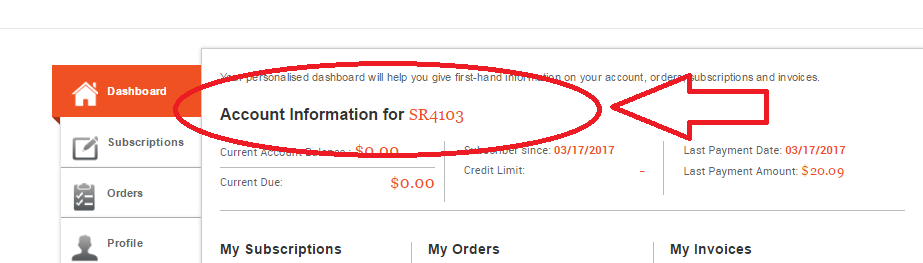
(click to enlarge)
Please review this graphic that outlines your invoice specifics.
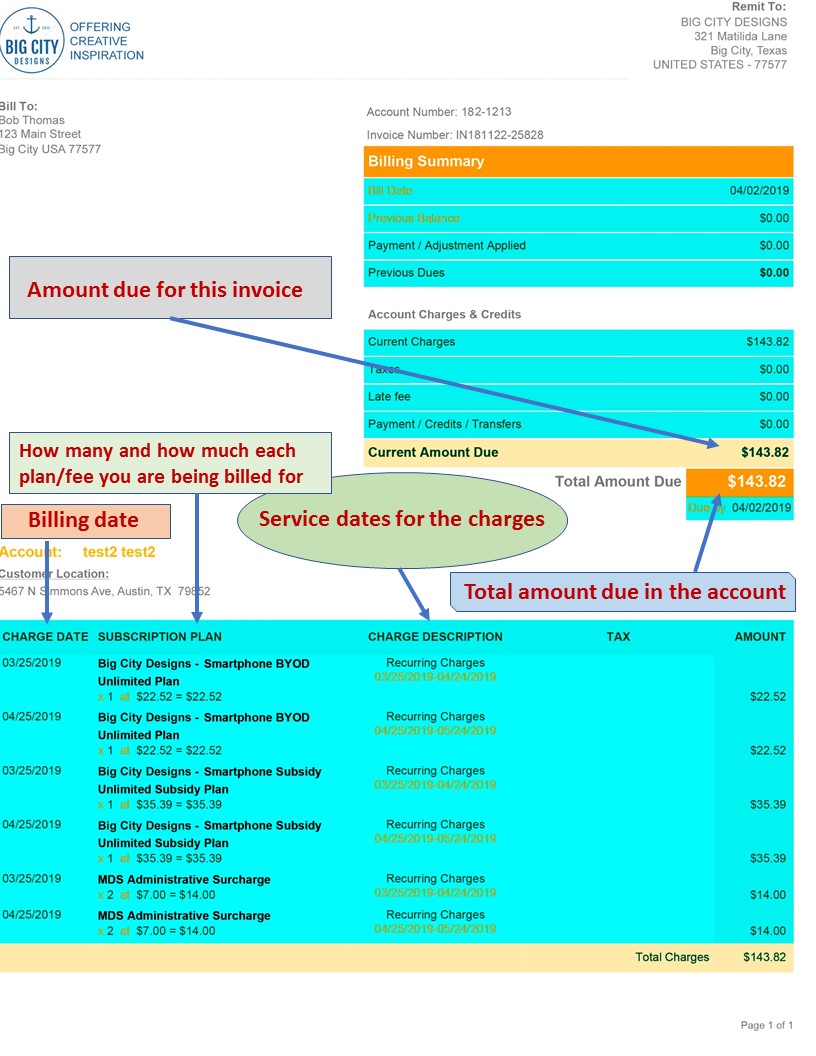
(click to enlarge)
Unfortunately, the wireless carriers don’t sell phones as replacements.
We recommend buying a phone off of Amazon. One vendor we have found good success with is Falken Mobile.
Use this link to visit their Amazon page.
https://www.amazon.com/shops/falkenmobile/
Falken Mobile provides thoroughly tested devices and accessory options when you need a replacement device.
We are sorry to see you leave but we understand.
Step 1. Login in to your Modas billing account
 (click to enlarge)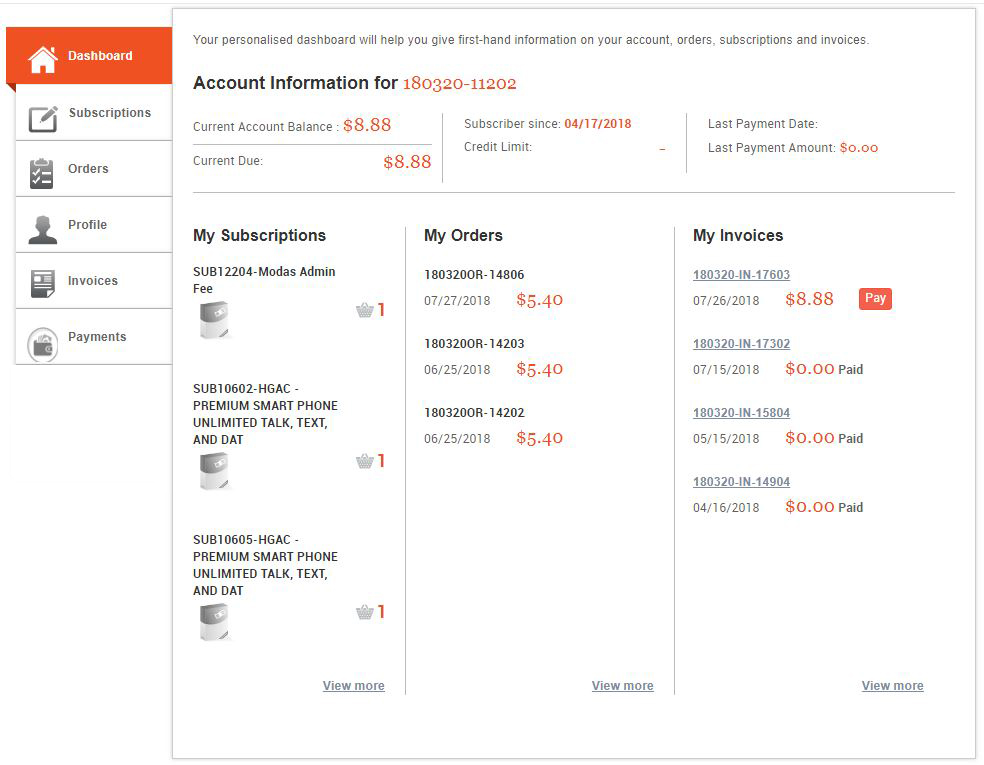
Step 2. Click the Subscription Tab on the left side of the screen below (The Orange Box below.)
 (click to enlarge)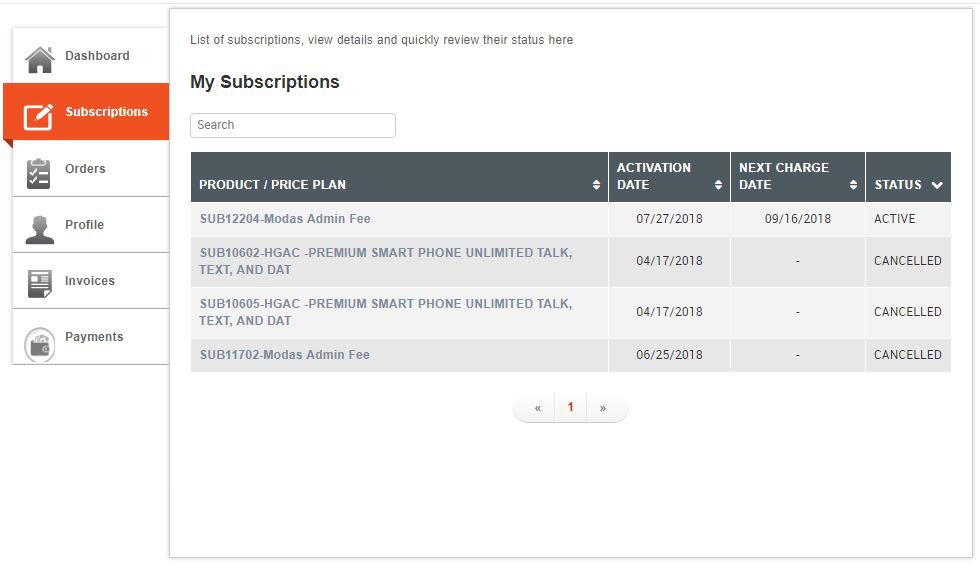
Step 3. Click on the Subscription Plan you wish to cancel and then click Cancel plan in the right hand column of the page.
 (click to enlarge)
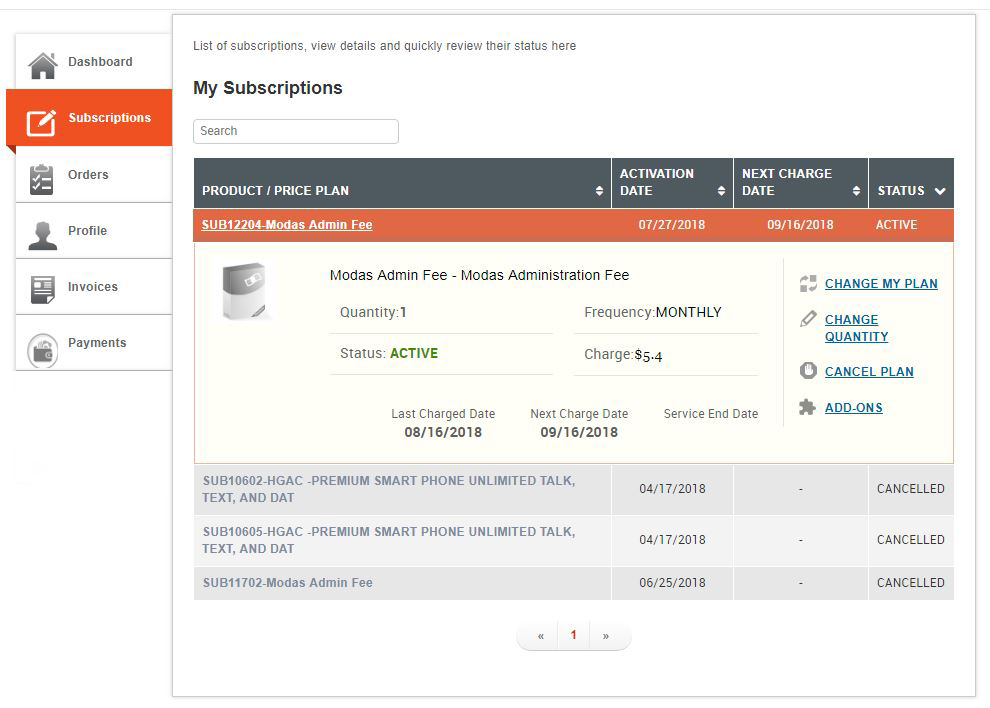
Plans will be cancelled immediately and service will be suspended right away.
IMPORTANT INFORMATION
IF YOU PLAN ON PORTING YOUR NUMBER TO A NEW PROVIDER.
* IF YOU PLAN ON PORTING YOUR NUMBER TO ANOTHER WIRELESS PROVIDER, IT IS CRITICAL THAT WE COMPLETE THE PORT TRANSFERRING YOUR NUMBER TO YOUR NEW PROVIDER BEFORE WE CANCEL YOUR LINE.
IF YOU CANCEL YOUR SERVICE FIRST, THE NATIONAL PORTING CENTER CANNOT MOVE YOUR NUMBER FROM THE CURRENT CARRIER TO YOUR NEW PROVIDER.
If you are unable to find the Frequently Asked Question here, visit our Support Portal by clicking the link below. You be able to search our Knowledge Base for your question or even open a ticket for your support team. You may also schedule a call back from our support team by clicking here.
Our Support Portal link: https://support.modassystems.com/